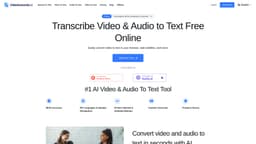
VideoToWords.ai
AI transcription service for audio and video files
Introduction
VideoToWords.ai is an AI-powered transcription service that converts audio and video files into accurate written text with high precision and efficiency. It supports over 98 languages and offers features such as automatic transcription, multilingual speech recognition, and convenient text editing and export options.
What stands out?
Automatic transcription of audio and video files
Multilingual speech recognition
Convenient text editing and export options
Frequently Asked Questions
What is VideoToWords.ai?
How to use VideoToWords.ai?
Is VideoToWords.ai secure for uploading sensitive content?
Can VideoToWords.ai transcribe files longer than 5 hours?
More Information
VideoToWords.ai Support Email & Customer service contact & Refund contact etc.
Here is the VideoToWords.ai support email for customer service: [email protected] .
VideoToWords.ai Login
VideoToWords.ai Login Link: https://www.videotowords.ai/login
VideoToWords.ai Sign up
VideoToWords.ai Sign up Link: https://www.videotowords.ai/register
VideoToWords.ai Pricing
VideoToWords.ai Pricing Link: https://www.videotowords.ai/pricing
Reviews & Feedback
Share your experience with the community
0.0
Based on 0 reviews
User Comments (0)
Sort Criteria
Order
No reviews yet. Be the first to share your thoughts!
Statistics
Monthly visits
NaN
Saved by users
0
Rating
0.0/ 5.0
Added on
—
Similar Tools

OpusClip Captions
Easily add animated captions to your videos with just one click using this innovative application. Enhance your videos instantly!

NoteGPT
Summarize videos, articles, and text with AI. Chat with AI assistant. Transcript generator. Automated note-taking. Folder management.

Kapwing
Collaborate online with Kapwing to create, customize, and expand your content effortlessly.
Use Cases
- Journalists transcribing interviews and news clips
- Students transcribing lectures and online courses
- Podcast hosts creating accessible transcripts for listeners
- Researchers transcribing research materials for analysis
- Filmmakers generating subtitles for films
- Content creators repurposing video content into blog articles
- Marketers converting video marketing materials into text for campaigns
- Professionals from various industries improving work efficiency
How to Use
Using VideoToWords.ai is simple. Upload your video or audio file, select the language, and let the AI transcribe the content automatically. You can then edit and export the transcript in various formats.