Admaker by Picsart
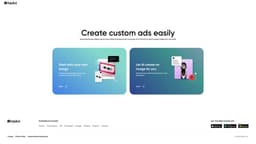
Picsart's AI tool, Admaker, helps small businesses create impressive image ads for social media easily.
Introduction
Admaker is an AI-driven ad creation tool developed by Picsart. It simplifies the process of creating image ads for social media platforms by generating AI-generated images, backgrounds, and text. With Admaker, small businesses can efficiently create visually appealing and compelling ads without the need for professional design skills.
What stands out?
Admaker offers several key features: 1. All-in-one platform: A single platform for creating ads, eliminating the need for multiple tools. 2. Fast creation: Create polished ads with visuals and copy in about 1 minute. 3. Target any platform: Customize ads for different social media platforms. 4. Time and resource savings: Generate multiple ad variations quickly and effortlessly. 5. Versatile customization: Tailor visuals and copy in infinite ways, avoiding generic templates. 6. Mobile preview: Ensure ads are optimized for mobile devices.
Frequently Asked Questions
What is Admaker by Picsart?
How to use Admaker by Picsart?
What is an ad maker?
Do online ads really work?
What makes a digital ad effective?
What are the benefits of using an AI ad maker?
Is Admaker a free tool?
More Information
Admaker by Picsart Company
Admaker by Picsart Company name: Picsart, Inc. . More about Admaker by Picsart, Please visit the about us page(https://picsart.com/about-us).
Admaker by Picsart Pricing
Admaker by Picsart Pricing Link: https://onlineadmaker.com/pricing/
Reviews & Feedback
Share your experience with the community
0.0
Based on 0 reviews
User Comments (0)
Sort Criteria
Order
No reviews yet. Be the first to share your thoughts!
Statistics
Monthly visits
NaN
Saved by users
0
Rating
0.0/ 5.0
Added on
—
Similar Tools

Pixelcut
Easily create stunning product photos and ads with our free online design tool. Remove backgrounds and erase objects effortlessly.

Wondershare
Discover innovative tools for enhancing creativity, productivity, and efficiency with our app. Unleash your potential today!

TurboScribe
Unlimited AI transcription with 99.8% accuracy in 98+ languages.

Intercom
Get quicker solutions with Automation and human assistance. Enhance support efficiency for faster issue resolutions.

Alpha3D
Transform 2D images into 3D assets with generative AI.
Use Cases
- Admaker can be used in various scenarios: 1. Digital marketing: Create on-brand, personalized social media ads quickly and efficiently. 2. E-commerce ads: Supercharge the ad creation process and test multiple variations for optimal return on ad spend. 3. Small business: Avoid high costs of product photo shoots by generating backgrounds, images, and copy from your own image or AI-based text description. 4. Social media influencers: Showcase products or services in captivating ways to engage followers and attract brand collaborations.
How to Use
To use Admaker, follow these simple steps: 1. Select an image: Choose your own product shot or have AI generate a new product image based on your description. 2. Pick a background: Enhance the visual appeal of your ad with multiple AI-generated backgrounds and images. 3. Generate copy: Create compelling copy using your own words or AI-generated suggestions. 4. Edit and download: Preview your ad on desktop and mobile, make any necessary edits, and export it in the perfect size for your desired platform.