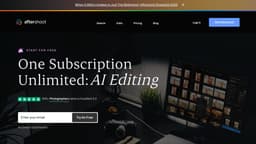
Aftershoot
AI Culling and Editing Software for Professional Photographers
Introduction
Aftershoot is the #1 AI Culling and Editing Software for Professional Photographers. It accelerates your culling and editing workflows using AI that constantly learns from your preferences. You can cull and edit unlimited photos for a flat fee.
What stands out?
AI-Assisted Culling
AI-Assisted Editing
Cropping
Straightening
Personal AI Editing Profile
Pre-built AI Styles
Export to Lightroom, Capture One, or Photo Mechanic
Frequently Asked Questions
What is Aftershoot?
How to use Aftershoot?
Why Aftershoot?
What does Aftershoot Culling do?
What does Aftershoot Edits do?
How does Aftershoot work and how to get started?
What image formats does Aftershoot process?
How does the AI work and get trained?
What makes Aftershoot different from other AI culling and editing software?
More Information
Aftershoot Company
Aftershoot Company name: Aftershoot Pvt Ltd . More about Aftershoot, Please visit the about us page(https://aftershoot.com/about/).
Aftershoot Login
Aftershoot Login Link: https://account.aftershoot.com/auth
Aftershoot Sign up
Aftershoot Sign up Link: https://account.aftershoot.com/auth?signup=true
Aftershoot Pricing
Aftershoot Pricing Link: https://aftershoot.com/pricing/
Aftershoot Facebook
Aftershoot Facebook Link: https://www.facebook.com/aftershootco/
Aftershoot Youtube
Aftershoot Youtube Link: https://www.youtube.com/@aftershoot
Aftershoot Tiktok
Aftershoot Tiktok Link: https://www.tiktok.com/@aftershootco
Aftershoot Twitter
Aftershoot Twitter Link: https://www.twitter.com/aftershootco/
Aftershoot Instagram
Aftershoot Instagram Link: https://www.instagram.com/aftershootco/
Aftershoot Pinterest
Aftershoot Pinterest Link: https://www.pinterest.com/AfterShootCo/
Reviews & Feedback
Share your experience with the community
0.0
Based on 0 reviews
User Comments (0)
Sort Criteria
Order
No reviews yet. Be the first to share your thoughts!
Statistics
Monthly visits
NaN
Saved by users
0
Rating
0.0/ 5.0
Added on
—
Use Cases
- Speed up your culling process
- Save time on editing
- Train an AI Editing Profile that mirrors your style
- Experiment with different editing styles
- Export your edited photos in various formats
How to Use
To use Aftershoot, you need to download the application to your computer and use it locally. It is compatible with any Windows or MacOS operated computer or laptop. After downloading and installing the app, you can import your photography files and start culling and editing with the help of AI.