RecapioGPT
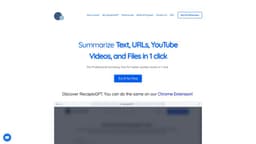
Summary: RecapioGPT is an AI bot that generates concise summaries of various types of content.
AI botsummarizerarticles
Introduction
RecapioGPT is a professional AI bot summarizer that generates concise summaries of articles, PDFs, and YouTube videos with just one click. It uses advanced natural language processing algorithms to extract the most important information from any content, allowing users to understand the main points in a few sentences.
Key Features
Summarizes web articles, PDFs, and YouTube videos
Supports multiple languages
Option to edit the output summary
Read it later feature with integration to Instapaper
Ability to summarize YouTube videos with transcripts
Option to save and share summaries
Advanced options for customizing summary length, translation, writing style, and more
Frequently Asked Questions
What is RecapioGPT?
How to use RecapioGPT?
How does RecapioGPT work?
Can I edit the output summary?
In which languages can I summarize articles?
What is the Read it later feature?
Can I summarize YouTube videos?
Can I save the summaries?
Do I need to copy the content/URL for summarizing it?
Can I share my summaries?
What are the Advanced Options?
What is the maximum word limit for summarizing contents?
Similar Tools

Plagiarism Remover
Eliminate plagiarism in your text with this free AI tool. Enhance your writing by rephrasing content effortlessly. Try it now!

Parafrasear Textos
Enhance the quality of your text with our online tool for paraphrasing. Improve readability and make your content stand out.
AI Drive
Experience the convenience of AI Drive, the app that utilizes artificial intelligence to enhance your driving experience. Say goodbye to manual control!
Use Cases
- Summarizing web articles for quick understanding
- Getting concise summaries of PDFs for efficient reading
- Summarizing YouTube videos with integrated subtitles for key takeaways
- Generating summaries of Power Point presentations for easy reference
- Providing summaries of long text documents for efficient information extraction
How to Use
To use RecapioGPT, follow these steps: 1. Browse the content you want to summarize, such as a web article, PDF, or YouTube video. 2. Open the RecapioGPT Chrome Extension or use the web app. 3. If using the extension, open it while on the article or copy and paste the URL/upload files in the app. If using the web app, paste the URL or full text. 4. Click 'Summarize' and your summary will be ready in just a few seconds. 5. You can save, edit, copy, or share the summary as per your preference.