Introduction
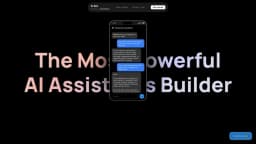
Build custom AI assistants with no-code visually
Key Features
Connect to tools and databases
Generate action nodes with AI
No-code function calling
Plugin chat widget to any website
Create various types of bots
Frequently Asked Questions
What is BuildShip?
How to use BuildShip?
How to start using BuildShip?
Similar Tools

LimeChat
Revolutionize your e-commerce business with our AI-powered platform that offers support and marketing through WhatsApp. Boost sales and engagement now!

Plagiarism Remover
Eliminate plagiarism in your text with this free AI tool. Enhance your writing by rephrasing content effortlessly. Try it now!

iSlide
Simplify your PowerPoint design with our innovative platform, offering a wide range of templates and AI tools to enhance your presentations.
Use Cases
- City Advisor - Ask for plans in a specific city
- Chat with Assistant - Connect your OpenAI Assistant to BuildShip
- Assistant with Document Retrieval - Access files you upload in the Assistant playground
- Chat with GSheets - Access Google Sheets to respond
- Data Analyst - Recruit a data analyst for research
- Chat with your Database - Give recommendations to customers based on dishes
- Quiz Master - Chat with a history tutor and generate quizzes
- Website Q&A - Scrape a website and answer questions
- Email Assistant - Access contacts and send emails
How to Use
Start by cloning a template from the library, add your API key, integrate tools and database, and connect to ship as API or Chatbot with HTML embed widget