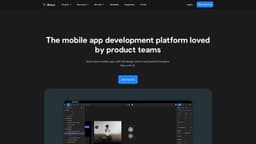
Bravo Studio
Bravo Studio is a Figma plugin that efficiently converts designs into interactive prototypes.
Introduction
Bravo Studio is a tool that helps users transform Figma designs into interactive prototypes with native features. It allows for fast and seamless building through its powerful Figma plugin.
What stands out?
Design integration with Figma
Building fully clickable prototypes
Real-time iteration and feedback with Bravo Vision
Connecting prototypes with real data via API or integrations
Sharing and user-testing of app prototypes
Stress-free app publishing
Frequently Asked Questions
What is Bravo Studio?
How to use Bravo Studio?
What is Bravo Studio?
How do I use Bravo Studio?
What are the core features of Bravo Studio?
More Information
Bravo Studio Support Email & Customer service contact & Refund contact etc.
More Contact, visit the contact us page(https://www.bravostudio.app/contact)
Bravo Studio Company
Bravo Studio Company name: App Foundry S.L. . More about Bravo Studio, Please visit the about us page(https://www.bravostudio.app/our-story).
Bravo Studio Login
Bravo Studio Login Link: https://projects.bravostudio.app/login
Bravo Studio Sign up
Bravo Studio Sign up Link: https://projects.bravostudio.app/signup
Bravo Studio Pricing
Bravo Studio Pricing Link: https://www.bravostudio.app/pricing-2023
Bravo Studio Youtube
Bravo Studio Youtube Link: https://www.youtube.com/channel/UCnvkRrYqR0qw1_EAGg9QVbg
Bravo Studio Twitter
Bravo Studio Twitter Link: https://twitter.com/Bravostudioapp
Bravo Studio Instagram
Bravo Studio Instagram Link: https://www.instagram.com/bravostudioapps/
Reviews & Feedback
Share your experience with the community
0.0
Based on 0 reviews
User Comments (0)
Sort Criteria
Order
No reviews yet. Be the first to share your thoughts!
Statistics
Monthly visits
NaN
Saved by users
0
Rating
0.0/ 5.0
Added on
—

Use Cases
- CRM App
- Meditation App
- Fitness App
- Restaurant App
- Recipe App
- School App
- Event App
- Kids Stories App
How to Use
To use Bravo Studio, users need to integrate it with Figma. They can then create fully clickable prototypes that resemble live mobile apps, make real-time changes and test different variations with Bravo Vision, and connect the prototype with real data via API or integrations. The app can be shared with stakeholders, teams, or users for feedback and user-testing. Bravo Studio also provides stress-free app publishing.