Introduction
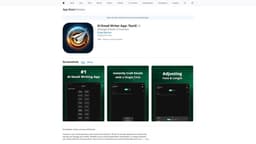
TextX is an AI-powered email assistant app that aims to revolutionize the way professionals manage their emails.
What stands out?
Effortless Email Composition
Seamless Email Sending
Smart Reply Functionality
Grammar Check & Proofreading
Extensive Email Prompts
Customizable Templates
Frequently Asked Questions
What is TextX?
How to use TextX?
Is TextX available for Android devices?
Does TextX collect any user data?
Are there customizable templates for different industries?
Reviews & Feedback
Share your experience with the community
0.0
Based on 0 reviews
User Comments (0)
Sort Criteria
Order
No reviews yet. Be the first to share your thoughts!
Statistics
Monthly visits
NaN
Saved by users
0
Rating
0.0/ 5.0
Added on
—
Use Cases
- Busy professionals
- Entrepreneurs
- Individuals who value efficient communication
How to Use
1. Download and install the TextX app from the App Store. 2. Open the app and create an account. 3. Start composing emails with ease using TextX's intuitive interface. 4. Send emails directly from the app. 5. Benefit from smart reply functionality and grammar check to improve the quality of your email communication.