Introduction
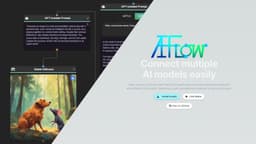
Connect multiple AI models easily. Open source, user-friendly UI application to create interactive networks with different AI models.
Key Features
Connect multiple AI models easily
Open Source
Free
User-friendly UI
Create interactive networks with different AI models
Generate content using external data
Frequently Asked Questions
What is AI-Flow?
How to use AI-Flow?
Is AI-Flow free to use?
Do I require an OpenAI API key?
How can I generate images?
Is it possible to run AI-Flow locally?
Is AI-Flow secure?
Can I operate nodes individually?
Where is my data stored?
Are there any limitations to be aware of?
How can I get started with AI-Flow?
Similar Tools

LimeChat
Revolutionize your e-commerce business with our AI-powered platform that offers support and marketing through WhatsApp. Boost sales and engagement now!

iSlide
Simplify your PowerPoint design with our innovative platform, offering a wide range of templates and AI tools to enhance your presentations.

Gethookd
Revolutionize your ad creation and performance with our AI platform. Optimize your ads like never before for maximum results.
Use Cases
- AI-Flow is perfect for content creation or critique. It allows users to design AI networks, assign roles, and transition between idea generation and evaluation.
How to Use
Install AI-Flow locally on your computer and use its user-friendly UI to create interactive networks with multiple AI models. Incorporate data from various sources to generate AI-driven content.