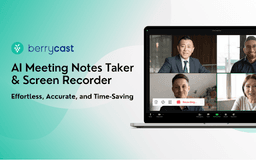
Berrycast - Chrome Extension
AI screen recorder & video messenger
Introduction
An AI-powered screen recording and video messaging platform used by 100,000+ Users. Record, transcribe, summarize meetings, and share videos effortlessly. Enhance communication with screen recorded video messages.
What stands out?
Screen + Face recorder
Trim video
Transcripts (60+ languages)
ChatGPT powered AIWriter
Download video
Email integrations (Gmail and Outlook)
View tracking
Video replies and comments
Frequently Asked Questions
What is Berrycast?
How to use Berrycast?
How do I record screens on Windows & Mac?
Reviews & Feedback
Share your experience with the community
0.0
Based on 0 reviews
User Comments (0)
Sort Criteria
Order
No reviews yet. Be the first to share your thoughts!
Statistics
Monthly visits
NaN
Saved by users
0
Rating
0.0/ 5.0
Added on
—
Use Cases
- Capture meetings
- Record screen and video messages
How to Use
Install Chrome extension or Desktop application, launch recorder, select recording mode, stop recording, review video with transcripts, use AIWriter to summarize, and share video via link or email.