AI Perfect Assistant
Boost productivity in Microsoft Suite with AI-powered assistant.
AI-powered assistantproductivityMicrosoft Office 365
Introduction
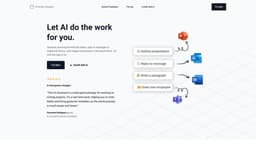
AI Perfect Assistant is an AI-powered assistant that seamlessly integrates into the Microsoft business suite to help users and their teams to be more productive. It can generate stunning PowerPoint slides, reply to messages in Outlook & Teams, and craft elegant documents in Microsoft Word, all with the help of AI.
Key Features
Generate PowerPoint slides
Reply to messages in Outlook & Teams
Craft elegant documents in Microsoft Word
Frequently Asked Questions
What is AI Perfect Assistant?
How to use AI Perfect Assistant?
What is AI Perfect Assistant?
How to use AI Perfect Assistant?
What are the core features of AI Perfect Assistant?
What are the pricing options for AI Perfect Assistant?
What are the use cases of AI Perfect Assistant?
Similar Tools

LimeChat
Revolutionize your e-commerce business with our AI-powered platform that offers support and marketing through WhatsApp. Boost sales and engagement now!

Gethookd
Revolutionize your ad creation and performance with our AI platform. Optimize your ads like never before for maximum results.

Quickads
Effortlessly create image and video ads with this AI-powered tool. Say goodbye to the hassle and hello to effective marketing campaigns.
Use Cases
- Creating visually appealing presentations
- Efficiently replying to emails and messages
- Enhancing document writing and editing
How to Use
To use AI Perfect Assistant, simply install the Add-In in your Microsoft Office 365 account and sign in with your work or school account. Once installed, you can start generating PowerPoint slides, replying to messages in Outlook & Teams, and enhancing your documents in Word with AI's assistance.