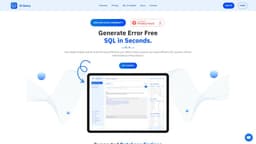
AI Query
AI Query is a web tool that generates SQL queries using English prompts, without prior SQL knowledge.
Introduction
AI Query is a web-based tool that uses state-of-the-art GPT-3 AI model to generate complex SQL queries in seconds. It allows users to input simple English prompts to generate SQL queries without any prior knowledge of SQL. The tool also provides features like defining database schema and translating SQL to English.
What stands out?
Generate complex SQL queries in seconds
Define database schema easily using the dashboard interface
Translate SQL to English for better understanding
Save and share SQL queries
Access SQL query history
AI-powered SQL query generation
AI-powered SQL explanation
Frequently Asked Questions
What is AI Query?
How to use AI Query?
Can AI Query generate SQL queries for any database engine?
How accurate are the SQL explanations provided by AI Query?
Can I access my SQL query history in AI Query?
What happens if I need help or support?
Can I cancel my subscription anytime?
More Information
AI Query Support Email & Customer service contact & Refund contact etc.
More Contact, visit the contact us page(https://aiquery.co/)
AI Query Login
AI Query Login Link: https://app.aiquery.co/api/auth/login
AI Query Sign up
AI Query Sign up Link: https://app.aiquery.co/api/auth/login?screen_hint=signup
AI Query Pricing
AI Query Pricing Link: https://aiquery.co/
Reviews & Feedback
Share your experience with the community
0.0
Based on 0 reviews
User Comments (0)
Sort Criteria
Order
No reviews yet. Be the first to share your thoughts!
Statistics
Monthly visits
NaN
Saved by users
0
Rating
0.0/ 5.0
Added on
—

Use Cases
- Data analysis
- Database management
- Software development
- Research and reporting
How to Use
To use AI Query, follow these steps: 1. Sign up or log in to your account. 2. Define your database schema using the intuitive dashboard interface. 3. Use simple English prompts to generate SQL queries. 4. Optionally, use the SQL to English Translator to understand complex SQL queries. 5. Save and share your SQL queries for future reference.