AI2image
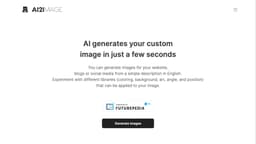
AI2image is an AI-powered online image generator that creates high-quality images based on user descriptions.
Introduction
AI2image is an online image generator powered by artificial intelligence. It allows users to generate high-quality images of any size and style by simply providing a description of the desired image.
What stands out?
Generate high-quality images online
Choose from different modes and libraries
Create images for websites, blogs, and social media
Customize image size and style
Frequently Asked Questions
What is AI2image?
How to use AI2image?
How does AI2image work?
How do I get my image?
Is it safe to use AI2image?
Do I need to pay for this service?
What if I have other questions?
More Information
AI2image Support Email & Customer service contact & Refund contact etc.
More Contact, visit the contact us page(https://www.ai2image.com/contact)
AI2image Company
AI2image Company address: 13553 Atlantic Blvd, Suite 201 FL 32225.
AI2image Pricing
AI2image Pricing Link: https://app.ai2image.com/
Reviews & Feedback
Share your experience with the community
0.0
Based on 0 reviews
User Comments (0)
Sort Criteria
Order
No reviews yet. Be the first to share your thoughts!
Statistics
Monthly visits
NaN
Saved by users
0
Rating
0.0/ 5.0
Added on
—
Similar Tools

Airtable Assistant
Easily create apps and analyze data with our AI tool, no coding required. Build and analyze without the hassle of programming.

Grok
AI assistant that promotes truth and objectivity with various features.

NoteGPT
Summarize videos, articles, and text with AI. Chat with AI assistant. Transcript generator. Automated note-taking. Folder management.

PixAI - AI Art Generator
Create stunning anime art effortlessly.

DeepAI
AI tools for creative people.
Use Cases
- Create landing page hero images
- Design blog banners
- Enhance email marketing with professional images
- Save time on social media marketing by using pre-designed images
How to Use
Using AI2image is simple. First, choose one of the three modes: Freestyle, Blog Banner, Twitter Post, or Linkedin Post. Then, select different libraries such as Coloring, Art & Style, Background, Angle & Position to apply to your image. Finally, write a description of the image you want and click 'Generate'. The AI will quickly generate the image based on your description.