AICommit
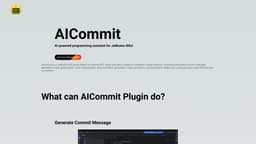
AICommit is an AI-powered programming assistant plugin for JetBrains IDEs, offering intelligent coding features.
Introduction
AICommit is an AI-powered programming assistant for JetBrains IDEs. It is a JetBrains IDE plugin based on OpenAI GPT, providing intelligent coding features such as automated commit message generation, code optimization, code interpretation, documentation generation, code conversion, and translation.
What stands out?
Automated commit message generation
Code explanation
Code translation
Code optimization
Documentation generation
Frequently Asked Questions
What is AICommit?
How to use AICommit?
Can AICommit generate commit messages for any programming language?
Does AICommit support multiple programming languages for code translation?
Is AICommit free to use?
Where can I report bugs or request new features for AICommit?
Reviews & Feedback
Share your experience with the community
0.0
Based on 0 reviews
User Comments (0)
Sort Criteria
Order
No reviews yet. Be the first to share your thoughts!
Statistics
Monthly visits
NaN
Saved by users
0
Rating
0.0/ 5.0
Added on
—
Similar Tools

Cursor
A cutting-edge code editor prioritizing AI technology for rapid software development. Boost your productivity with this innovative tool.

Anthropic
The AI assistant named Claude, called Anthropic, offers various capabilities and services.

Replit
Replit is a collaborative IDE featuring 50+ programming languages, a robust compiler, and interpreter. Work together seamlessly on coding projects.
Use Cases
- Generating concise and meaningful commit messages automatically
- Understanding complex code through detailed explanations
- Translating code to different programming languages
- Optimizing code for performance and efficiency
- Generating comprehensive documentation for codebases
How to Use
To use AICommit, you need to download the plugin from the JetBrains Marketplace and install it in your JetBrains IDE. Once installed, you can access the various AI-powered coding features provided by AICommit. For example, you can generate commit messages, get code explanations, translate code, optimize code, and generate documentation. Simply use the respective commands or shortcuts provided by the plugin to utilize these features in your coding workflow.