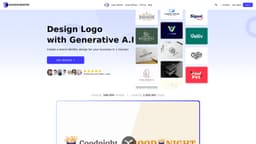
AI Logo Creator
AI-driven platform for creating customizable professional logos quickly.
Introduction
AI Logo Creator is an AI-driven platform that allows users to create custom professional logos swiftly and conveniently. Utilizing advanced algorithms, it generates unique designs based on user inputs such as company name and industry. Users can choose styles, colors, and customize logos to reflect their brand identity fully. The service offers various file formats for download, ensuring that every logo meets professional standards and can be used across different platforms including social media, websites, and business cards.
What stands out?
Automatic logo generation using AI
Customizable design options
Multiple downloadable formats
Frequently Asked Questions
What is AI Logo Creator?
How to use AI Logo Creator?
What is the AI Logo Creator?
Do I need design skills to use AI Logo Creator?
How long does it take to get my logo?
Can I customize the AI generated logos?
What file formats are available?
Do I own the commercial rights to the logo?
More Information
AI Logo Creator Support Email & Customer service contact & Refund contact etc.
Here is the AI Logo Creator support email for customer service: [email protected] .
AI Logo Creator Company
AI Logo Creator Company name: DESIGNER AILTD .
AI Logo Creator Login
AI Logo Creator Login Link: https://www.ailogocreator.io/record
AI Logo Creator Pricing
AI Logo Creator Pricing Link: https://www.ailogocreator.io/price
AI Logo Creator Youtube
AI Logo Creator Youtube Link: https://youtube.com/@ailogocreator-io?si=DXC4kEJTi-_HkpdD
AI Logo Creator Twitter
AI Logo Creator Twitter Link: https://x.com/ailogocreator
AI Logo Creator Instagram
AI Logo Creator Instagram Link: https://www.instagram.com/ailogocreator.io?igsh=NWZ4MG05eTNod2F2
Reviews & Feedback
Share your experience with the community
0.0
Based on 0 reviews
User Comments (0)
Sort Criteria
Order
No reviews yet. Be the first to share your thoughts!
Statistics
Monthly visits
NaN
Saved by users
0
Rating
0.0/ 5.0
Added on
—
Use Cases
- Creating logos for small businesses
- Designing logos for social media profiles
- Crafting unique branding for startups
How to Use
To create a logo, simply enter your logo name, select your industry, choose a style and color, and customize your logo as per your preference. Preview your design and download it in your desired format.