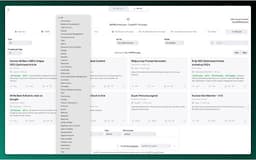
ChatGPT SEO Extension - Chrome Extension
Curated prompt templates for SEO tasks.
Introduction
This extension adds a list of curated prompt templates for SEOs to ChatGPT.
What stands out?
Competitor Article Rewrite
Keyword Intent
Clustering
Link Building
Content Generation
FAQs
Frequently Asked Questions
What is ChatGPT SEO Extension?
How to use ChatGPT SEO Extension?
How do I install the ChatGPT SEO Extension?
Can I customize the prompt templates?
Are the prompt templates regularly updated?
Can I suggest new prompt templates for inclusion?
Reviews & Feedback
Share your experience with the community
0.0
Based on 0 reviews
User Comments (0)
Sort Criteria
Order
No reviews yet. Be the first to share your thoughts!
Statistics
Monthly visits
NaN
Saved by users
0
Rating
0.0/ 5.0
Added on
—
Similar Tools

Airtable Assistant
Easily create apps and analyze data with our AI tool, no coding required. Build and analyze without the hassle of programming.

Grok
AI assistant that promotes truth and objectivity with various features.

NoteGPT
Summarize videos, articles, and text with AI. Chat with AI assistant. Transcript generator. Automated note-taking. Folder management.

PixAI - AI Art Generator
Create stunning anime art effortlessly.

DeepAI
AI tools for creative people.
How to Use
To use the ChatGPT SEO Extension, simply install the extension and open ChatGPT. You will then have one-click access to a variety of curated prompt templates designed specifically for SEO tasks.