AnyText
A groundbreaking tool seamlessly integrating editable text into images.
Introduction
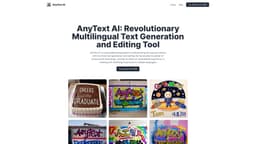
AnyText is a groundbreaking tool that seamlessly integrates editable text into images, supporting a variety of fonts, styles, and languages.
What stands out?
Multiline text generation at user-specified positions
Ability to handle deformed and irregular text regions
Multilingual capabilities: from English to Chinese and beyond
Advanced text editing in consistent font styles
Seamless integration with existing diffusion models
Frequently Asked Questions
What is AnyText?
How to use AnyText?
What makes AnyText unique in AI image generation?
How does AnyText ensure the quality of generated text?
Can AnyText AI generate text in languages other than English?
Is AnyText AI suitable for professional graphic design?
How does AnyText AI compare to other AI text generation tools?
More Information
AnyText Company
AnyText Company name: AnyText AI .
AnyText Twitter
AnyText Twitter Link: https://twitter.com/xiaohuggg/status/1742749153267257699?ref_src=twsrc%5Etfw
Reviews & Feedback
Share your experience with the community
0.0
Based on 0 reviews
User Comments (0)
Sort Criteria
Order
No reviews yet. Be the first to share your thoughts!
Statistics
Monthly visits
NaN
Saved by users
0
Rating
0.0/ 5.0
Added on
—

Use Cases
- AI poster and logo generation
- Artistic AI image creation
- Multilingual marketing materials
- Graphic design projects
How to Use
To use AnyText, simply upload an image and input the desired text. The AI-powered tool will generate realistic, context-aware text that seamlessly blends with the image. Users can also edit the generated text, including font styles and positioning.