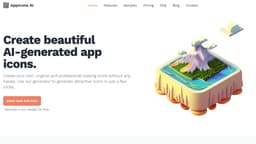
Appicons AI
Create professional app icons easily with Appicons AI, no design skills needed.
Introduction
Appicons AI is a simple, AI-powered tool that allows users to create unique and professional app icons for iOS and Android. It eliminates the need for design skills, allowing users to generate attractive icons in just a few clicks.
What stands out?
AI-powered icon generator
Logo AI generator
Easy to use
Generate icons in minutes
Customizable icons
High-quality and scalable icons
Web-friendly and SEO-optimized icons
Frequently Asked Questions
What is Appicons AI?
How to use Appicons AI?
Can I use the icons in commercial apps?
What would be the icons formats?
Do you provide SVG format?
Do you support iOS and Android apps?
More Information
Appicons AI Support Email & Customer service contact & Refund contact etc.
Here is the Appicons AI support email for customer service: [email protected] . More Contact, visit the contact us page(mailto:[email protected])
Appicons AI Login
Appicons AI Login Link: https://appicons.ai/login
Appicons AI Sign up
Appicons AI Sign up Link: https://appicons.ai/register
Appicons AI Pricing
Appicons AI Pricing Link: https://appicons.ai/#pricing
Reviews & Feedback
Share your experience with the community
0.0
Based on 0 reviews
User Comments (0)
Sort Criteria
Order
No reviews yet. Be the first to share your thoughts!
Statistics
Monthly visits
NaN
Saved by users
0
Rating
0.0/ 5.0
Added on
—
Use Cases
- Create unique app icons for iOS and Android apps
- Generate professional-looking icons without design skills
- Customize icons to match branding or aesthetics
- Create high-quality, web-friendly icons for SEO optimization
How to Use
1. Create 6 unique app icon designs: Use the AI-driven design tool to experiment with colors, shapes, and visuals to generate six distinct designs.2. Choose a design and preview with cropping: Review the designs, select the best one, and adjust its dimensions using the cropping tool.3. Refine the design using AI-enhanced editing features: Utilize AI-powered editing tools to enhance colors, shapes, and add visuals to create cohesive and eye-catching designs.4. Upscale the app icon for optimal resolution: Improve the icon's resolution using AI upscaling to ensure clarity and visual appeal across various devices.5. Download the finished app icon: Enhance the design to a resolution of 2024x2024 and download it.