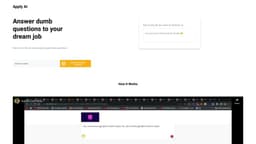
Applyish
Applyish is a job application platform with an auto-fill feature, saving time and effort.
Introduction
Applyish is a job application platform that offers an auto-fill feature to streamline the process of completing job application forms. It uses advanced AI technology to analyze your information and automatically populate the required fields, saving you time and effort.
What stands out?
Applyish's core features include:
Frequently Asked Questions
What is Applyish?
How to use Applyish?
What is auto-fill job application and how does it work?
How can auto-fill job application benefit me during my job search?
Does auto-fill job application work for all job boards and application portals?
Is my data secure when using auto-fill job application?
Can I review and edit the auto-filled information before submitting the application?
Does auto-fill job application include custom answers for open-ended questions?
Can I use auto-fill job application for both part-time and full-time positions?
Do I need any technical skills to use the auto-fill job application feature?
Is the auto-fill job application feature available for free?
Reviews & Feedback
Share your experience with the community
0.0
Based on 0 reviews
User Comments (0)
Sort Criteria
Order
No reviews yet. Be the first to share your thoughts!
Statistics
Monthly visits
NaN
Saved by users
0
Rating
0.0/ 5.0
Added on
—
Use Cases
- Saving time and effort in completing multiple job application forms
- Ensuring accurate and consistent entry of information across applications
- Increasing the speed of the job search process
- Tailoring responses to specific job requirements
- Enhancing the quality of job applications
- Maximizing chances of landing interviews and securing dream jobs
How to Use
To use Applyish's auto-fill feature, you need to download the Chrome Extension and sign up for an account. Once installed, the extension will analyze the job application forms and fill in the necessary information with just one click. You can review and edit the auto-filled information before submitting the application.