Introduction
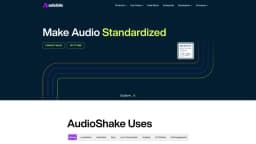
AudioShake makes audio interactive, customizable, and accessible by using AI to separate sound recordings into their component parts and stems.
What stands out?
Dialogue, Music & Effects Separation
Lyric Transcription & Alignment
Instrument Stem Separation
Frequently Asked Questions
What is AudioShake?
How to use AudioShake?
What types of audio files can be uploaded?
Is there a limit on the file size?
Can I edit the separated audio files?
More Information
AudioShake Support Email & Customer service contact & Refund contact etc.
More Contact, visit the contact us page(https://www.audioshake.ai/contact-us)
AudioShake Company
More about AudioShake, Please visit the about us page(https://www.audioshake.ai/team).
AudioShake Facebook
AudioShake Facebook Link: https://www.facebook.com/AudioShakeAI/
AudioShake Youtube
AudioShake Youtube Link: https://www.youtube.com/channel/UC7olw-IdHcEQOJJPYAg1-Cw
AudioShake Tiktok
AudioShake Tiktok Link: https://www.tiktok.com/@audioshakeai
AudioShake Linkedin
AudioShake Linkedin Link: https://www.linkedin.com/company/audioshake/
AudioShake Twitter
AudioShake Twitter Link: https://twitter.com/AudioshakeAI
AudioShake Instagram
AudioShake Instagram Link: https://www.instagram.com/audioshakeai/?hl=en
Reviews & Feedback
Share your experience with the community
0.0
Based on 0 reviews
User Comments (0)
Sort Criteria
Order
No reviews yet. Be the first to share your thoughts!
Statistics
Monthly visits
NaN
Saved by users
0
Rating
0.0/ 5.0
Added on
—
Use Cases
- Mixing & Mastering
- Localization & Captioning
- Interactive
- Sync Licensing
- Lyric Transcription
- Audio Analysis
- A/V Editing
- Fan Engagement
How to Use
1. Upload your audio file 2. Select the desired component parts or stems 3. Download the separated audio files