Audyo
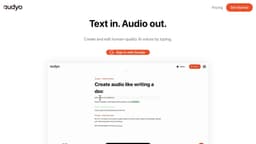
Audyo is a platform that allows users to edit and create audio like writing a document.
audio productionAI voicestext-to-speech
Introduction
Audyo is a platform that allows users to create audio like writing a document. It offers the ability to edit words instead of waveforms, switch speakers, and adjust pronunciations using phonetics.
Key Features
Edit words instead of waveforms
Switch between speakers
Tweak pronunciations using phonetics
Delight your audience with human-quality AI voices
Easy to use, just like typing
Frequently Asked Questions
What is Audyo?
How to use Audyo?
Can I edit the text after converting it into audio?
Is it possible to have multiple speakers in a single audio file?
Can I adjust the pronunciation of certain words?
Does Audyo support multiple languages?
Similar Tools

LimeChat
Revolutionize your e-commerce business with our AI-powered platform that offers support and marketing through WhatsApp. Boost sales and engagement now!

iSlide
Simplify your PowerPoint design with our innovative platform, offering a wide range of templates and AI tools to enhance your presentations.

Gethookd
Revolutionize your ad creation and performance with our AI platform. Optimize your ads like never before for maximum results.
Use Cases
- Creating audio versions of written documents
- Generating narration for videos and presentations
- Assisting in language learning and pronunciation practice
- Enhancing accessibility by providing audio content for visually impaired individuals
How to Use
To use Audyo, simply sign in with your Google account and start typing. The platform will convert your text into human-quality AI voices. You can edit the text, switch speakers, and tweak pronunciations as needed to create the desired audio output.