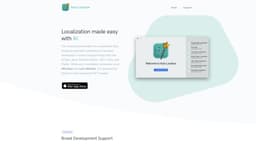
Introduction
The most capable editor for localization files enabling automatic localization of projects developed in various programming tools like XCode, Java, Android Studio, NET, Unity, and Flutter. It is powered by OpenAI's most advanced GPT models.
What stands out?
Broad Development Support
Effortless and Cost-Friendly Localization
Easy User Interface
Frequently Asked Questions
What is Auto Localize?
How to use Auto Localize?
What programming tools does Auto Localize support?
What file formats does Auto Localize support for localization?
How does Auto Localize make localization effortless and cost-effective?
Does Auto Localize have an easy-to-use interface?
More Information
Auto Localize Support Email & Customer service contact & Refund contact etc.
More Contact, visit the contact us page(https://autolocalize.app/contact.html)
Auto Localize Login
Auto Localize Login Link: https://autolocalize.app/signin-illustration.html
Auto Localize Sign up
Auto Localize Sign up Link: https://autolocalize.app/signin-illustration.html
Reviews & Feedback
Share your experience with the community
0.0
Based on 0 reviews
User Comments (0)
Sort Criteria
Order
No reviews yet. Be the first to share your thoughts!
Statistics
Monthly visits
NaN
Saved by users
0
Rating
0.0/ 5.0
Added on
—
Similar Tools

Cursor
A cutting-edge code editor prioritizing AI technology for rapid software development. Boost your productivity with this innovative tool.

Anthropic
The AI assistant named Claude, called Anthropic, offers various capabilities and services.

Replit
Replit is a collaborative IDE featuring 50+ programming languages, a robust compiler, and interpreter. Work together seamlessly on coding projects.
Use Cases
- Localize projects developed in XCode
- Localize projects developed in Java
- Localize projects developed in Android Studio
- Localize projects developed in .NET
- Localize projects developed in Unity
- Localize projects developed in Flutter
How to Use
Simplify your workflow in minutes. Sign up or log in to your account. Add your localization files or projects. Edit them manually or use the automatic processing feature powered by OpenAI's GPT models. Localize your files effortlessly.