AutoCropper
Automatically crop images with AI-powered AutoCropper for quick and easy digitization.
image croppingphoto scanningAI-powered tool
Introduction
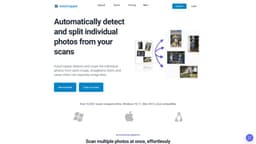
AutoCropper is an AI-powered online tool that allows you to automatically detect and crop multiple parts of an image, exporting them as individual photo files. It eliminates the need for manual cropping and slow scanning software, making it easy to digitize your photo collection quickly and effortlessly.
Key Features
1. Automatic photo detection: AutoCropper uses AI algorithms to instantly detect and crop individual photos within an image.2. Batch cropping: You can upload and crop multiple scans at once, digitizing your photo collection faster than using traditional scanning software.3. Rotation detection and correction: AutoCropper detects rotated areas in the scans and crops them correctly.4. Full quality upload and download: There is no compression or size limit for uploads, ensuring the cropped photos maintain their original quality.
Frequently Asked Questions
What is AutoCropper?
How to use AutoCropper?
Is AutoCropper free?
Are my scans stored on a secret server?
How do I download AutoCropper?
What is your refund policy?
Similar Tools

LimeChat
Revolutionize your e-commerce business with our AI-powered platform that offers support and marketing through WhatsApp. Boost sales and engagement now!

Gethookd
Revolutionize your ad creation and performance with our AI platform. Optimize your ads like never before for maximum results.

Quickads
Effortlessly create image and video ads with this AI-powered tool. Say goodbye to the hassle and hello to effective marketing campaigns.
Use Cases
- Digitizing old photo collections
- Separating multiple photos from a single scan
- Straightening and cropping scanned images
- Efficiently scanning multiple photos at once
How to Use
1. Upload your scanned image to AutoCropper.2. AutoCropper will automatically detect and split the individual photos within the image.3. The tool will straighten the photos and save them as separate image files.4. Download the cropped photos to your device.