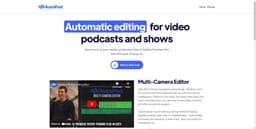
AutoPod
AutoPod: Adobe Premiere Pro plug-ins for video podcast editing, with automatic editing features to save time.
podcast editingAdobe Premiere Provideo show
Introduction
AutoPod is a set of Adobe Premiere Pro plug-ins designed for video podcast and video show editors. It offers automatic editing features to save time in post-production.
Key Features
Multi-camera editing with up to 10 cameras and 10 microphones
Customizable editing methods and frequency of wide shots
Automatic creation of social clips for different aspect ratios
Automatic jump cut creation based on silence in footage
Frequently Asked Questions
What is AutoPod?
How to use AutoPod?
Can AutoPod handle different camera configurations?
Is AutoPod customizable for different editing methods?
Can AutoPod create social clips for different aspect ratios?
How does the jump cut editor work?
Is there a batch export feature for social clips?
Similar Tools

StreamLadder
Climb the ranks of popular streaming platforms with StreamLadder. Increase your visibility and grow your audience effortlessly. Start today!

Quickads
Effortlessly create image and video ads with this AI-powered tool. Say goodbye to the hassle and hello to effective marketing campaigns.
Coverr
Access a wide range of free high-definition and 4K stock videos, music, and AI tools with the Free HD app.
Use Cases
- Video podcast editing
- Video show editing
- Creating social media clips with different aspect ratios
- Creating engaging jump cuts in footage
How to Use
To use AutoPod, simply install the plug-ins on Adobe Premiere Pro. For multi-camera editing, AutoPod automatically edits multi-camera sequences with up to 10 cameras and 10 microphones. It can handle various camera configurations, from solo shots to wide shots. Customizable settings allow users to adapt to their preferred editing method. The social clip creator feature resizes clips for different aspect ratios and adds auto-reframe, watermarks, and endpages as desired. The jump cut editor automatically creates jump cuts based on silence in the footage. Users can input a decibel cutoff specific to their microphones to determine where the cuts occur.