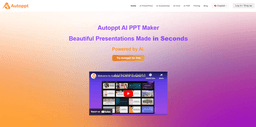
Autoppt
Create stunning presentations effortlessly with our AI-powered PPT maker and a vast selection of PowerPoint templates.
Introduction
Autoppt is an AI Powerpoint tool that creates stunning presentations quickly. Enter a topic, and it generates slides. Upload Word, PDF, Excel, or images, and Autoppt converts them into professional presentations.
What stands out?
AI Slide Creation: Autoppt generates up to 30 polished slides from a topic or uploaded file in seconds.
File Compatibility: Upload Word, PDF, Excel, PPT, or JPG files, and Autoppt seamlessly converts them into slides.
Diverse Templates: Explore a variety of templates designed for different themes and styles.
Built-In Editing Tools: Easily refine slides by editing text, adding visuals, or adjusting designs.
Easy Sharing and Exporting: Export slides in PowerPoint format or share them via a direct link.
Frequently Asked Questions
What is Autoppt?
How to use Autoppt?
What is Autoppt?
Dose Autoppt offer a free trial?
How dose Autoppt work?
Does Autoppt offer templates?
Does Autoppt support PowerPoint and Google Slides?
More Information
Autoppt Support Email & Customer service contact & Refund contact etc.
Here is the Autoppt support email for customer service: [email protected] . More Contact, visit the contact us page(https://autoppt.com/#contact-form)
Autoppt Company
Autoppt Company name: Autoppt Inc. . Autoppt Company address: . More about Autoppt, Please visit the about us page().
Autoppt Login
Autoppt Login Link: https://app.autoppt.com/login-index.html
Autoppt Sign up
Autoppt Sign up Link: https://app.autoppt.com/login-index.html
Autoppt Pricing
Autoppt Pricing Link: https://app.autoppt.com/pricing.html
Reviews & Feedback
Share your experience with the community
0.0
Based on 0 reviews
User Comments (0)
Sort Criteria
Order
No reviews yet. Be the first to share your thoughts!
Statistics
Monthly visits
NaN
Saved by users
0
Rating
0.0/ 5.0
Added on
—
Similar Tools
Use Cases
- AI Powerpoint Maker
- Bussiness Presentation Creation
- Education Presentations Maker
- AI PDF Summarizer
- AI Mindmap
- AI Chatbot
How to Use
Step 1: Add Your Topic or File Type a topic or upload a document (PDF, Word, Excel, PPT, or JPG). Let Autoppt do the work. Step 2: Select a Template Choose from diverse templates. Match your slides to your message and audience. Step 3: Edit Your Slides Adjust text, colors, and layouts. Add tables, images, or other visuals. Make it your own. Step 4: Download and Share Save the presentation as a PowerPoint file. Share it via a link with colleagues or friends.