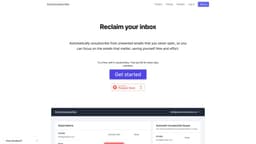
AutoUnsubscribe
Automatically unsubscribe from unopened unwanted emails, saving time and effort.
Introduction
AutoUnsubscribe is a service that automatically unsubscribes you from unwanted emails that you never open, allowing you to focus on important emails and saving you time and effort.
What stands out?
Automatically unsubscribe from unwanted emails you never open
Retain important subscriptions using the Keep List feature
Genuine unsubscribe links provided for permanent removal from sender's list
One-click unsubscribe from the dashboard
Warnings and options to keep subscriptions before unsubscribing
Privacy-focused with no reading or storing of email content
Supports all email providers compatible with IMAP
Frequently Asked Questions
What is AutoUnsubscribe?
How to use AutoUnsubscribe?
How does AutoUnsubscribe work?
Can I keep important subscriptions while using AutoUnsubscribe?
Are the unsubscribe links provided by AutoUnsubscribe genuine?
How do I unsubscribe from emails with AutoUnsubscribe?
Will AutoUnsubscribe accidentally unsubscribe me from important subscriptions?
Is my data protected with AutoUnsubscribe?
Which email providers are supported by AutoUnsubscribe?
More Information
AutoUnsubscribe Support Email & Customer service contact & Refund contact etc.
More Contact, visit the contact us page(https://autounsubscribe.me/contact)
AutoUnsubscribe Login
AutoUnsubscribe Login Link: https://autounsubscribe.me/login
AutoUnsubscribe Sign up
AutoUnsubscribe Sign up Link: https://autounsubscribe.me/create-account
AutoUnsubscribe Pricing
AutoUnsubscribe Pricing Link: https://autounsubscribe.me/pricing
AutoUnsubscribe Twitter
AutoUnsubscribe Twitter Link: https://twitter.com/swaldy
Reviews & Feedback
Share your experience with the community
0.0
Based on 0 reviews
User Comments (0)
Sort Criteria
Order
No reviews yet. Be the first to share your thoughts!
Statistics
Monthly visits
NaN
Saved by users
0
Rating
0.0/ 5.0
Added on
—
Use Cases
- Clearing and organizing your inbox by removing irrelevant emails
- Saving time and effort by focusing only on important emails
- Avoiding accidentally unsubscribing from important subscriptions
- Effortlessly unsubscribing from emails with just one click
- Maintaining privacy and data security while managing email subscriptions
How to Use
To use AutoUnsubscribe, simply connect your email account (compatible with most popular email services) using your email provider's IMAP settings. Once connected, AutoUnsubscribe will monitor your inbox and flag subscriptions that reach an unread threshold for automatic unsubscribing. You will receive an email notification with the list of flagged emails and the option to add any subscriptions to your Keep List before AutoUnsubscribe unsubscribes from them automatically.