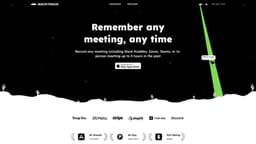
Backtrack
Backtrack is a versatile Mac recorder for audio, screen, and microphone recordings.
mac appmenu bar recorderaudio recording
Introduction
Backtrack is a Mac menu bar recorder that allows users to save their past audio, screen, and microphone recordings. It is designed to help users in various use cases such as recording meetings, client calls, brainstorming sessions, user interviews, sales calls, webinars, conference booths, bug reporting, and more.
Key Features
Locally record up to 5 hours past audio, screen, or microphone
Preview and customize recordings before downloading
Upload recordings to the cloud for AI note-taking
Generate AI transcripts and summaries
Save recordings from various platforms such as Zoom, Slack Huddles, in-person meetings, and more
Frequently Asked Questions
What is Backtrack?
How to use Backtrack?
What platforms does Backtrack support for recording?
How far back can I record with Backtrack?
Can I customize what I want to save from Zoom calls or in-person conversations?
Is my recording data private?
Similar Tools

LimeChat
Revolutionize your e-commerce business with our AI-powered platform that offers support and marketing through WhatsApp. Boost sales and engagement now!

Gethookd
Revolutionize your ad creation and performance with our AI platform. Optimize your ads like never before for maximum results.

Quickads
Effortlessly create image and video ads with this AI-powered tool. Say goodbye to the hassle and hello to effective marketing campaigns.
Use Cases
- Recording Slack Huddles
- Client Calls
- Brainstorming Sessions
- User Interviews
- Sales Calls
- Webinars
- Conference Booths
- Bug Reporting
How to Use
To use Backtrack, simply install the app on your Mac. Once installed, the Backtrack icon will appear in your menu bar. Click and drag the icon to save up to 1 hour of in-person or Zoom calls in the past. Backtrack automatically remembers the most recent 1 hour of internal/external audio and screen. You can preview and customize what you want to save from Zoom calls and in-person conversations before downloading. The recordings are completely private to you until you create a sharable link.