Broadcast
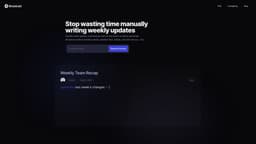
Broadcast is a communication tool that automates sharing weekly updates with teams.
Introduction
Broadcast is a communication tool that enables users to quickly draft and share weekly updates with their teams. It utilizes AI to automate the process and supports sharing updates through Slack and Email. It aims to make sharing updates fast, simple, and enjoyable.
What stands out?
AI-powered drafting of weekly updates
Integration with JIRA, Looker, GitHub, and Linear
Real-time collaboration
Readership insights
Easy distribution via email and Slack
Frequently Asked Questions
What is Broadcast?
How to use Broadcast?
More Information
Broadcast Support Email & Customer service contact & Refund contact etc.
Here is the Broadcast support email for customer service: [email protected] . More Contact, visit the contact us page(mailto:[email protected])
Broadcast Login
Broadcast Login Link: https://app.withbroadcast.com/login
Broadcast Sign up
Broadcast Sign up Link: https://app.withbroadcast.com/login
Reviews & Feedback
Share your experience with the community
0.0
Based on 0 reviews
User Comments (0)
Sort Criteria
Order
No reviews yet. Be the first to share your thoughts!
Statistics
Monthly visits
NaN
Saved by users
0
Rating
0.0/ 5.0
Added on
—
Similar Tools

Pixelcut
Easily create stunning product photos and ads with our free online design tool. Remove backgrounds and erase objects effortlessly.

Wondershare
Discover innovative tools for enhancing creativity, productivity, and efficiency with our app. Unleash your potential today!

TurboScribe
Unlimited AI transcription with 99.8% accuracy in 98+ languages.

Intercom
Get quicker solutions with Automation and human assistance. Enhance support efficiency for faster issue resolutions.

Alpha3D
Transform 2D images into 3D assets with generative AI.
Use Cases
- Writing and sharing weekly product updates
- Sharing growth recaps over email and Slack
- Simplifying cross-functional team communication
- Creating comprehensive reports summarizing team updates
How to Use
To use Broadcast, users can connect their JIRA, Looker, GitHub, and Linear accounts to gather relevant information for their weekly updates. The AI-powered Smart Blocks feature autofills the update with approved branches, finished tickets, planned tasks, and recently created pages. Users can assign sections and collaborate in real-time. After drafting the update, it can be easily shared via email or Slack. Additionally, Broadcast provides readership insights to track who has read the updates.