Broadcast
Manager's copilot for notes, decisions, and automation.
Introduction
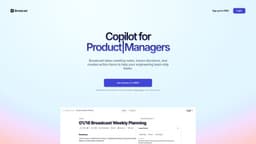
Broadcast is a manager’s copilot. It captures notes, tracks decisions, and automates actions, enabling managers to lead without busy work.
What stands out?
Meeting notes that are summarized using AI
Integrated with existing product development tools
Automated weekly recaps
Sync action-items with other tools
Centralized view of all meetings
Transcript access
Decision history
And much more
Frequently Asked Questions
What is Broadcast?
How to use Broadcast?
What sets Broadcast apart from other meeting tools?
Is it safe to start recording internal meetings?
How does Broadcast ensure the security of my recordings?
Who can benefit most from Broadcast?
How does Broadcast utilize AI?
More Information
Broadcast Support Email & Customer service contact & Refund contact etc.
Here is the Broadcast support email for customer service: [email protected] . More Contact, visit the contact us page(mailto:[email protected])
Broadcast Login
Broadcast Login Link: https://app.withbroadcast.com/login
Broadcast Sign up
Broadcast Sign up Link: https://app.withbroadcast.com/login
Reviews & Feedback
Share your experience with the community
0.0
Based on 0 reviews
User Comments (0)
Sort Criteria
Order
No reviews yet. Be the first to share your thoughts!
Statistics
Monthly visits
NaN
Saved by users
0
Rating
0.0/ 5.0
Added on
—
Use Cases
- Managers who want to improve productivity and efficiency
- Engineering teams looking to ship faster
- Product teams seeking to bridge the gap between meetings and product development tools
How to Use
Sign up for free, login, and start using Broadcast to take meeting notes, track decisions, and automate actions.