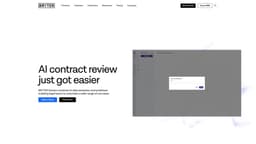
BRYTER Extract | AI for Legal
BRYTER Extract is the new generation of legal AI software that makes it faster, easier and more affordable for legal teams to use AI to review and analyze contracts.
Legal AIContract ReviewAI for law firms
Introduction
BRYTER Extract changes everything you know about extraction - combining AI data extraction with workflows. BRYTER Extract enables law firms and in-house legal teams to use AI for more due diligence use cases which were previously out of reach due to the high cost and time investment needed. BRYTER Extract allows you to review thousands of documents at scale and extract the key information and clauses necessary. BRYTER is designed specifically for lawyers to use, and includes features such as references to source documents and the ability to validate the AI first-pass review - all shown in an intuitive user interface. Using BRYTER Extract legal professionals can extract the necessary clauses or data and use it within the BRYTER legal automation platform: whether to generate documents like amendment agreements or as part of legal approval workflows.
Key Features
AI trained for legal use cases
AI contract analysis: any contract type, any language
Built-in OCR
Lawyer review and validation interface
Use extracted data in legal workflows
Document Bundling: AI reads contracts plus amendments as a whole
Frequently Asked Questions
What is BRYTER Extract | AI for Legal?
How to use BRYTER Extract | AI for Legal?
Can in-house legal teams or mid-market law firms use BRYTER Extract?
Similar Tools
AI Drive
Experience the convenience of AI Drive, the app that utilizes artificial intelligence to enhance your driving experience. Say goodbye to manual control!
WayStars AI- Your Unified AI Platform
WayStars AI is a comprehensive suite of AI tools that combines advanced models, productivity features, and creative functions into one seamless platform. Unleash the power of AI with WayStars.
Lexence
Enhance legal comprehension and create legal documents efficiently with our AI-driven legal assistant tool. Get streamlined support now!
Use Cases
- M&A due diligence
- Commercial lease review
- Real estate due diligence
- EU’s Digital Operational Resilience Act (DORA) vendor contract review
- Franchise agreement review
- Employment contract review
- Commercial documents (MSAs, SOWs, NDAs)
- Any contract review exercise
How to Use
1. Upload documents - Upload post-signature contracts and other documents in any language. 2. Define your queries - Define the questions, terms and data points you want to extract from the contracts or other documents. 3. Review answers in a table grid - Use proprietary, pre-trained legal AI to get data in a table, with links to relevant clauses in source documents. 4. Export data - Export data to Excel, or use it in rule-based workflows for document automation, repapering and follow up questions. 5. Add workflows - Use the data in workflows, like approvals, calculations, document generation and verification.