ChatGPT Copier - Chrome Extension
Copy ChatGPT answers with one click.
copying tooltime-savingChrome extension
Introduction
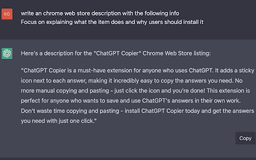
ChatGPT Copier is a time-saving tool that allows users to easily copy ChatGPT answers with just one click.
Key Features
One-click copying of ChatGPT answers
Seamless integration with Chrome
Effortless usage
Time-saving tool
Frequently Asked Questions
What is ChatGPT Copier?
How to use ChatGPT Copier?
Is ChatGPT Copier free to use?
Does ChatGPT Copier work on other browsers?
Is there a limit to the number of answers I can copy?
Does ChatGPT Copier work with ChatGPT Plus and ChatGPT Pro?
Similar Tools

LimeChat
Revolutionize your e-commerce business with our AI-powered platform that offers support and marketing through WhatsApp. Boost sales and engagement now!

Plagiarism Remover
Eliminate plagiarism in your text with this free AI tool. Enhance your writing by rephrasing content effortlessly. Try it now!

iSlide
Simplify your PowerPoint design with our innovative platform, offering a wide range of templates and AI tools to enhance your presentations.
Use Cases
- Students can quickly copy answers for assignments and studying.
- Marketers can save time by easily copying relevant responses for customer support.
- Researchers can quickly gather information by copying ChatGPT responses during experiments.
- Professionals can streamline their workflow by effortlessly copying ChatGPT answers for reports and presentations.
How to Use
To use ChatGPT Copier, simply install the Chrome extension and navigate to a conversation in ChatGPT. Click on the copy button next to the desired answer, and the answer will be automatically copied to your clipboard.