Introduction
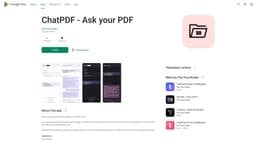
ChatPDF is an Android application that allows users to engage in interactive conversations with their PDF files.
What stands out?
Interactive conversations with PDF files
Question asking and information extraction
Instant answers
Enhanced PDF interaction
Frequently Asked Questions
What is ChatPDF?
How to use ChatPDF?
Can I use ChatPDF on iOS or other platforms?
Can I import PDFs from my cloud storage services?
Is there a limit on the number or size of PDF files I can use with ChatPDF?
Does ChatPDF work offline?
Reviews & Feedback
Share your experience with the community
0.0
Based on 0 reviews
User Comments (0)
Sort Criteria
Order
No reviews yet. Be the first to share your thoughts!
Statistics
Monthly visits
NaN
Saved by users
0
Rating
0.0/ 5.0
Added on
—
Use Cases
- Studying
- Working
- Exploring
How to Use
To use ChatPDF on Android, simply download and install the application from the Google Play Store. Open the app, choose a PDF file, and start a conversation by asking questions or extracting information from the PDF. The application will provide instant answers and facilitate a more engaging experience with your PDFs.