ChatTab
A Mac software brings ChatGPT to users with a hotkey, enabling conversation with experts in different fields.
ChatTabChatGPTMac app
Introduction
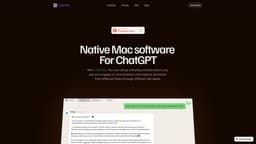
ChatTab is a native Mac software that allows users to access ChatGPT using a hotkey, similar to Apple's Spotlight. It provides a floating window above any app where users can engage in conversations with experts in various fields through different tab labels.
Key Features
The core features of ChatTab include: - Native Mac software for ChatGPT - Floating window above any app - Conversations with experts in different fields through tab labels - Fast and powerful performance - Markdown support - Security and privacy measures - Multi-language support - API key storage in Apple's keychain - iCloud sync for prompts
Frequently Asked Questions
What is ChatTab?
How to use ChatTab?
Is there a free trial?
Do you require a credit card for the free plan?
How do you handle personal information?
What are the requirements to use ChatTab?
Can I get a refund?
Similar Tools

LimeChat
Revolutionize your e-commerce business with our AI-powered platform that offers support and marketing through WhatsApp. Boost sales and engagement now!

Plagiarism Remover
Eliminate plagiarism in your text with this free AI tool. Enhance your writing by rephrasing content effortlessly. Try it now!

iSlide
Simplify your PowerPoint design with our innovative platform, offering a wide range of templates and AI tools to enhance your presentations.
Use Cases
- ChatTab can be used in various scenarios, such as: - Seeking expert advice or guidance on specific topics - Getting quick answers or information without leaving your current app - Collaborating with colleagues or team members on projects - Language translation and adaptation using ChatGPT - Learning new subjects or enhancing knowledge through conversations with experts
How to Use
To use ChatTab, simply download and install the software on your Mac. Once installed, you can activate the floating window by pressing a hotkey. From there, you can select different tab labels to engage in conversations with experts. The software offers a distinctive UI design and features like markdown support, security and privacy measures, API key storage in Apple's keychain, and iCloud sync for prompts.