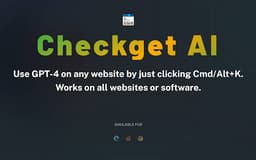
Checkget AI - Chrome Extension
Perform tasks effortlessly without copying and pasting.
Introduction
Checkget AI is a browser extension powered by GPT-4 that enables you to perform various tasks without the need to copy and paste.
What stands out?
The core features of Checkget AI include translation, email replies, tweet writing, code generation, and more.
Frequently Asked Questions
What is Checkget AI?
How to use Checkget AI?
What is the key benefit of using Checkget AI?
Is Checkget AI compatible with all browsers?
How accurate is the translation feature of Checkget AI?
Can Checkget AI generate code for multiple programming languages?
Is there a limit to the number of emails that can be replied to using Checkget AI?
Reviews & Feedback
Share your experience with the community
0.0
Based on 0 reviews
User Comments (0)
Sort Criteria
Order
No reviews yet. Be the first to share your thoughts!
Statistics
Monthly visits
NaN
Saved by users
0
Rating
0.0/ 5.0
Added on
—
Use Cases
- Checkget AI can be used for tasks like translating documents, replying to emails quickly, composing tweets effortlessly, generating code snippets, and streamlining text-related activities.
How to Use
To use Checkget AI, simply install the browser extension and hold down Cmd/Alt+K to access the features.