Chromatic Lens
Create stunning product images with Chromatic Lens to boost sales and inspire trust.
product photographybackground imagesprofessional images
Introduction
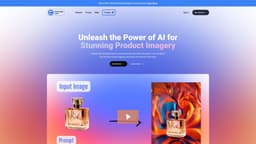
Chromatic Lens is an AI-powered app that allows users to create professional product images effortlessly. It helps businesses stand out from the competition and boost sales by producing captivating visuals that inspire trust and drive results.
Key Features
AI-powered app
Effortless product image enhancement
Wide range of background options
Seamless integration of product into backgrounds
Flexible editing and customization capabilities
Frequently Asked Questions
What is Chromatic Lens?
How to use Chromatic Lens?
How does your app work?
Is it necessary to have any technical skills to use your app?
How long does it take to generate an image?
What types of backgrounds can I create with your app?
Can I edit the generated images further after using your app?
Can the images be used for commercial purposes?
Do I need to be a Prompt Engineer?
Similar Tools

LimeChat
Revolutionize your e-commerce business with our AI-powered platform that offers support and marketing through WhatsApp. Boost sales and engagement now!

Gethookd
Revolutionize your ad creation and performance with our AI platform. Optimize your ads like never before for maximum results.

Quickads
Effortlessly create image and video ads with this AI-powered tool. Say goodbye to the hassle and hello to effective marketing campaigns.
Use Cases
- Elevate product photography
- Boost engagement and drive conversions
- Capture attention and stand out from the competition
- Attract more customers and reach a wider audience
How to Use
Using Chromatic Lens is simple. First, upload your product image to the app. Then, apply any adjustments or edits you desire. Next, select your desired background from a wide range of options or describe a specific scene. The app will generate a customized image that seamlessly integrates your product into the requested background. Finally, you can further edit and refine the generated image using other image editing software, if desired.