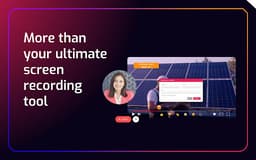
Cinema8 - Chrome Extension
Screen recording tool enhancing engagement with interactive video features.
Introduction
Cinema8 is a screen recording extension that enables users to capture and share engaging videos with interactive elements, aimed at enhancing communication and engagement in various contexts. It incorporates features like lead generation, deep analytics, and AI-powered automation to transform ordinary recordings into powerful tools for business and engagement.
What stands out?
Easy and quick screen recording
Seamless sharing options
Lead generation tools through forms and CTAs
Deep analytics for optimizing content
AI-powered automation features
Frequently Asked Questions
What is Cinema8?
How to use Cinema8?
Is Cinema8 free to use?
Can I add interactive elements to my videos?
Reviews & Feedback
Share your experience with the community
0.0
Based on 0 reviews
User Comments (0)
Sort Criteria
Order
No reviews yet. Be the first to share your thoughts!
Statistics
Monthly visits
NaN
Saved by users
0
Rating
0.0/ 5.0
Added on
—
Similar Tools

OpusClip Captions
Easily add animated captions to your videos with just one click using this innovative application. Enhance your videos instantly!

NoteGPT
Summarize videos, articles, and text with AI. Chat with AI assistant. Transcript generator. Automated note-taking. Folder management.

Kapwing
Collaborate online with Kapwing to create, customize, and expand your content effortlessly.
Use Cases
- Create personalized video pitches for sales
- Develop interactive training materials for remote teams
- Produce captivating presentations for client consultations
How to Use
To use Cinema8, download the extension, start recording your screen or webcam, and incorporate interactive elements for sharing.