Cite Buddy
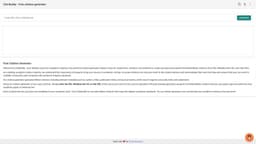
Generate unlimited citations with metadata using Cite Buddy's free citation generator.
citationsbibtexcitation generator
Introduction
Cite Buddy is a free citation generator that allows users to generate unlimited citations from URLs, DOIs, and Wikidata IDs. It automatically generates properly formatted Bibtex citations with metadata for academic papers and reference lists.
Key Features
1. Unlimited citation generation from URLs, DOIs, and Wikidata IDs.2. Properly formatted Bibtex citations with metadata.3. Easy copy and paste functionality.4. Fast and accurate citation generation.5. Search engine-friendly citations.
Frequently Asked Questions
What is Cite Buddy?
How to use Cite Buddy?
What types of sources can I cite with Cite Buddy?
Is Cite Buddy free to use?
Does Cite Buddy create Bibtex citations with metadata?
Can I trust the accuracy of the generated citations?
Is Cite Buddy suitable for all types of academic writing?
Similar Tools

LimeChat
Revolutionize your e-commerce business with our AI-powered platform that offers support and marketing through WhatsApp. Boost sales and engagement now!

Plagiarism Remover
Eliminate plagiarism in your text with this free AI tool. Enhance your writing by rephrasing content effortlessly. Try it now!

iSlide
Simplify your PowerPoint design with our innovative platform, offering a wide range of templates and AI tools to enhance your presentations.
Use Cases
- 1. Researchers, scholars, and students can use Cite Buddy to accurately cite their sources in academic writing.2. Users can ensure their work is credible and compliant with academic integrity standards.3. Cite Buddy helps users create reference lists with accurate citations.4. The citation generator is useful for generating citations for online articles, research papers, and other scholarly sources.
How to Use
1. Enter the URL, DOI, or Wikidata ID of the source you want to cite.2. Click on the 'Generate' button.3. The citation generator will generate a properly formatted Bibtex citation with relevant metadata.4. Copy and paste the citation into your academic paper or reference list.