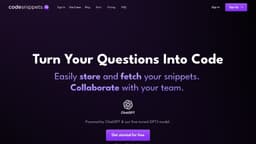
Code Snippets AI
Code Snippets AI is an AI-powered code library that helps developers code faster and collaborate effectively.
Introduction
Code Snippets AI is an AI-powered code snippets library that harnesses the power of GPT-4 to help developers code faster and collaborate with their teams. It allows you to store, fetch, and securely save code snippets, and provides AI-generated responses to your coding questions and tasks.
What stands out?
Store and fetch code snippets
Collaborate with your team
Generate code and snippets with AI
Refactor and debug code
Choose from different AI models
Code analysis and documentation generation
Search and organize snippets
Auto-saving
Secure and private environment
Frequently Asked Questions
What is Code Snippets AI?
How to use Code Snippets AI?
What makes Code Snippets AI different?
What languages do we support?
Do we use GPT-4?
How do Tokens work?
Do you offer a free trial?
What's next for Code Snippets AI?
More Information
Code Snippets AI Support Email & Customer service contact & Refund contact etc.
Here is the Code Snippets AI support email for customer service: [email protected] .
Code Snippets AI Company
Code Snippets AI Company name: Code Snippets AI . More about Code Snippets AI, Please visit the about us page(https://codesnippets.ai/docs/intro).
Code Snippets AI Login
Code Snippets AI Login Link: https://codesnippets.ai/auth/sign-in
Code Snippets AI Sign up
Code Snippets AI Sign up Link: https://codesnippets.ai/auth/sign-up?utm_source=price_1MhDRbJZMpG4RVw9pMljbuxy
Code Snippets AI Pricing
Code Snippets AI Pricing Link: https://codesnippets.ai/pricing
Reviews & Feedback
Share your experience with the community
0.0
Based on 0 reviews
User Comments (0)
Sort Criteria
Order
No reviews yet. Be the first to share your thoughts!
Statistics
Monthly visits
NaN
Saved by users
0
Rating
0.0/ 5.0
Added on
—
Similar Tools

Cursor
A cutting-edge code editor prioritizing AI technology for rapid software development. Boost your productivity with this innovative tool.

Anthropic
The AI assistant named Claude, called Anthropic, offers various capabilities and services.

Replit
Replit is a collaborative IDE featuring 50+ programming languages, a robust compiler, and interpreter. Work together seamlessly on coding projects.
Use Cases
- Code faster by getting AI responses to your coding questions
- Create a secure and organized code snippets library
- Collaborate effectively with your team by sharing snippets
- Refactor and optimize your code with AI suggestions
- Generate code and snippets to speed up boilerplate or repetitive tasks
- Find and fix errors in your code with AI assistance
- Simplify documentation generation with AI-powered analysis
- Save time on formatting and troubleshooting
- Access your snippets from anywhere with an internet connection
How to Use
To use Code Snippets AI, follow these steps: 1. Sign in to your account on the website. 2. Install the VSCode extension for seamless integration. 3. Store your code snippets in the library with the option to organize them in folders. 4. Collaborate with your team by easily sharing snippets. 5. Use the AI models, such as GPT-4, ChatGPT, or Google PaLM2, to generate code, refactor, debug, and analyze your code. 6. Search and fetch snippets by language, name, or folder. 7. Benefit from AI-powered features like auto-saving, code analysis, error detection and suggestions, and more. 8. Enjoy the secure and private environment with end-to-end encryption. 9. Explore the documentation, blog, and FAQ sections for further guidance and information.