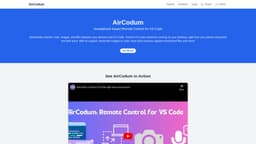
CodeAir
Control VS Code from your phone with CodeAir.
Introduction
CodeAir is a mobile companion app for VS Code, enabling remote control and file transfer from your smartphone.
What stands out?
Seamless file transfer
Voice commands for VS Code
AI support for QnA and text transcriptions
Frequently Asked Questions
What is CodeAir?
How to use CodeAir?
How can I connect CodeAir to my VS Code?
Do I need to be on the same Wi-Fi network?
More Information
CodeAir Support Email & Customer service contact & Refund contact etc.
Here is the CodeAir support email for customer service: [email protected] .
CodeAir Twitter
CodeAir Twitter Link: https://twitter.com/priyankar97
CodeAir Github
CodeAir Github Link: https://github.com/priyankark/AirCodum
Reviews & Feedback
Share your experience with the community
0.0
Based on 0 reviews
User Comments (0)
Sort Criteria
Order
No reviews yet. Be the first to share your thoughts!
Statistics
Monthly visits
NaN
Saved by users
0
Rating
0.0/ 5.0
Added on
—
Similar Tools

Cursor
A cutting-edge code editor prioritizing AI technology for rapid software development. Boost your productivity with this innovative tool.

Anthropic
The AI assistant named Claude, called Anthropic, offers various capabilities and services.

Replit
Replit is a collaborative IDE featuring 50+ programming languages, a robust compiler, and interpreter. Work together seamlessly on coding projects.
Use Cases
- Send code snippets and images directly from your mobile device to VS Code.
How to Use
Install CodeAir on your phone and the VS Code extension, then connect both via the provided IP address.