Introduction
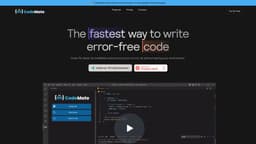
CodeMate is a tool that helps programmers write error-free code faster. It autocorrects coding errors within the coding environment without the need to switch to another platform.
Key Features
Autocorrects coding errors in real-time
Intuitive interface for a seamless coding experience
AI debugging tool for faster problem-solving
Code performance analysis and quality report
ChatGPT trained on your codebase for personalized assistance
Code review against best practices and industry standards
Frequently Asked Questions
What is CodeMate?
How to use CodeMate?
What kind of coding errors does your tool help fix?
How does your tool perform code reviews?
Can your tool optimize code automatically?
Can your tool be used with any programming language?
Is my code kept private and secure?
How do I get started with your tool?
How accurate are the results generated by CodeMate?
Similar Tools

CodeFast
Quickly learn coding to create successful online ventures with this app designed for fast-paced business growth. Start building today!

Genie AI
Experience a versatile AI chatbot capable of handling multiple tasks with ease. Engage with our multi-model application today!

DhiWise
Revolutionize your software development process with the Agentic AI platform - the ultimate tool for automating the software development lifecycle.
Use Cases
- Improve coding productivity by 10x
- Prevent project delays and get paid sooner
- Streamline workflow with automated debugging and code review
- Make code production-ready with a single click
- Instantly debug code with detailed fixes and error descriptions
- Self-evaluate code performance and improve coding skills
How to Use
To use CodeMate, you can install the CodeMate Visual Studio Code Extension or use their own IDE. Once installed, CodeMate will automatically detect and correct coding errors as you write code.