CodeSense AI
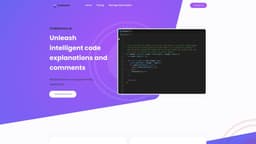
CodeSense AI is a Visual Studio Code extension that enhances developers' productivity with AI-driven tools.
Introduction
CodeSense AI is a Visual Studio Code extension designed to empower developers with AI-driven tools and resources to significantly boost productivity, efficiency, and code quality.
What stands out?
Code Comment Generation: Quickly generate descriptive comments for code snippets.
Code Explanation: Receive detailed and comprehensive explanations for code snippets.
Improved Documentation: AI-generated code comments provide clear and concise explanations, enhancing codebase documentation.
Onboarding and Training: Code explanations can be beneficial for onboarding new team members or teaching programming concepts to students.
Time Efficiency: AI-powered tools save developers significant time and effort by automatically generating comments and explanations.
Scalability: CodeSense AI allows developers to quickly document and explain vast amounts of code, making it easier to maintain and update complex software systems.
Frequently Asked Questions
What is CodeSense AI?
How to use CodeSense AI?
Can the AI handle large codebases or only individual code snippets?
Is there a trial period or demo available to test the extension before committing to a subscription?
Will more features be supported in the future?
More Information
CodeSense AI Support Email & Customer service contact & Refund contact etc.
More Contact, visit the contact us page(https://codesenseai.com/#)
CodeSense AI Pricing
CodeSense AI Pricing Link: https://codesenseai.com/pricing
CodeSense AI Instagram
CodeSense AI Instagram Link: https://www.instagram.com/gabrielblake72/
Reviews & Feedback
Share your experience with the community
0.0
Based on 0 reviews
User Comments (0)
Sort Criteria
Order
No reviews yet. Be the first to share your thoughts!
Statistics
Monthly visits
NaN
Saved by users
0
Rating
0.0/ 5.0
Added on
—
Similar Tools

Cursor
A cutting-edge code editor prioritizing AI technology for rapid software development. Boost your productivity with this innovative tool.

Anthropic
The AI assistant named Claude, called Anthropic, offers various capabilities and services.

Replit
Replit is a collaborative IDE featuring 50+ programming languages, a robust compiler, and interpreter. Work together seamlessly on coding projects.
Use Cases
- Enhancing codebase documentation
- Onboarding new team members
- Teaching programming concepts to students
- Saving time and effort in generating comments and explanations
- Maintaining and updating complex software systems
How to Use
To use CodeSense AI, simply install the extension in your Visual Studio Code editor. Once installed, you can access the AI-driven tools by selecting the desired code snippet or project and choosing the appropriate feature, such as generating a descriptive comment or receiving detailed code explanations.