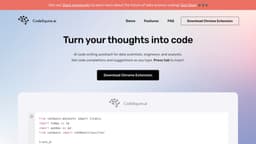
CodeSquire - AI code writing assistant
CodeSquire is an AI assistant for data scientists, generating functions using AI.
Introduction
CodeSquire is an AI code writing assistant designed specifically for data scientists. It supports popular coding environments such as Jupyter, VS Code, Pycharm, and Google Colab. CodeSquire assists in generating entire functions tailored to data science use cases by utilizing artificial intelligence.
What stands out?
AI code writing assistant for data scientists
Supports Jupyter, VS Code, Pycharm, and Google Colab
Generates entire functions tailored to data science use cases
Code completions and suggestions as you type
Ability to write code by translating comments
Supports writing functions using well-known libraries
Translates language into SQL queries
Ability to explain code
Supports writing complex functions by specifying multiple steps
Frequently Asked Questions
What is CodeSquire - AI code writing assistant?
How to use CodeSquire - AI code writing assistant?
How do I start using CodeSquire?
How do I download CodeSquire?
What platforms does CodeSquire work on?
What are the best practices and how to get the most out of CodeSquire?
What is the roadmap for CodeSquire?
Why use CodeSquire instead of Github Copilot?
More Information
CodeSquire - AI code writing assistant Support Email & Customer service contact & Refund contact etc.
Here is the CodeSquire - AI code writing assistant support email for customer service: [email protected] .
CodeSquire - AI code writing assistant Linkedin
CodeSquire - AI code writing assistant Linkedin Link: https://www.linkedin.com/company/codesquire-ai
CodeSquire - AI code writing assistant Twitter
CodeSquire - AI code writing assistant Twitter Link: https://twitter.com/CodesquireAI
Reviews & Feedback
Share your experience with the community
0.0
Based on 0 reviews
User Comments (0)
Sort Criteria
Order
No reviews yet. Be the first to share your thoughts!
Statistics
Monthly visits
NaN
Saved by users
0
Rating
0.0/ 5.0
Added on
—
Similar Tools

Cursor
A cutting-edge code editor prioritizing AI technology for rapid software development. Boost your productivity with this innovative tool.

Anthropic
The AI assistant named Claude, called Anthropic, offers various capabilities and services.

Replit
Replit is a collaborative IDE featuring 50+ programming languages, a robust compiler, and interpreter. Work together seamlessly on coding projects.
Use Cases
- Data science coding
- Function generation
- Code completion
- Writing SQL queries
- Understanding existing code
- Writing complex functions
How to Use
To use CodeSquire, simply download the Chrome Extension and sign up for an account. Once installed, CodeSquire integrates into your coding environment and provides code completions and suggestions as you type. Pressing the 'tab' key will insert the suggested code. CodeSquire can be used for improving productivity, writing functions using well-known libraries, translating language into SQL queries, explaining code, and writing complex functions by specifying multiple steps.