College Tools
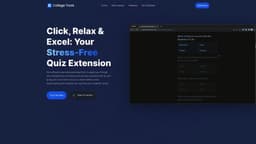
College Tools is an AI-powered exam assistant for students.
Introduction
College Tools is an AI-powered exam assistant that helps students with their homework and quizzes. It integrates with popular learning platforms and websites, allowing students to quickly find accurate solutions for their assignments.
What stands out?
AI-powered quiz and homework solutions
Compatible with over 50 learning management systems and websites
Privacy-focused with stealth and camouflage features
Universal compatibility with any website
Instant answers with AI snapshot capture
Integration with McGraw Hill Smartbook, Khan Academy, Class Maker, and Blackboard Ultra
Frequently Asked Questions
What is College Tools?
How to use College Tools?
Does College Tools work on any learning platform or website?
Will my school be able to detect that I'm using the College Tools extension?
Is College Tools more accurate than ChatGPT?
Can I earn money by promoting College Tools?
How does College Tools ensure the safety of my data?
More Information
College Tools Login
College Tools Login Link: https://www.collegetools.io/login
College Tools Sign up
College Tools Sign up Link: https://www.collegetools.io/signup
College Tools Pricing
College Tools Pricing Link: https://www.collegetools.io/#pricing
College Tools Tiktok
College Tools Tiktok Link: https://www.tiktok.com/@collegetools.io
College Tools Twitter
College Tools Twitter Link: https://twitter.com/collegetoolsio
College Tools Instagram
College Tools Instagram Link: https://instagram.com/collegetoolsio
Reviews & Feedback
Share your experience with the community
0.0
Based on 0 reviews
User Comments (0)
Sort Criteria
Order
No reviews yet. Be the first to share your thoughts!
Statistics
Monthly visits
NaN
Saved by users
0
Rating
0.0/ 5.0
Added on
—

Use Cases
- Finding quick solutions for lengthy assignments using McGraw Hill Smartbook
- Easily navigating solutions for complex homework tasks on Khan Academy
- Snapping a shot of locked copy-paste questions on Class Maker for instant AI-driven answers
- Utilizing College Tools seamlessly with existing elements of Blackboard Ultra for undetectable collaboration
How to Use
Using College Tools is easy. Just follow these three steps: 1. Get the Chrome Extension: Install College Tools from the Chrome Web Store. 2. Open any assignment: Open an assignment or quiz from any supported website or learning management system. 3. Start using it: With the assignment open, College Tools' AI will guide you to the correct answers for multiple-choice questions.