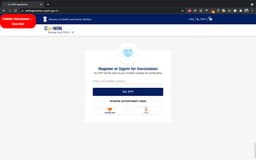
CoWIN Bot - Chrome Extension
Automated vaccine booking tool
Automated bookingVaccine availabilityCOVID-19 vaccination
Introduction
Automated tool to book vaccine slots on CoWIN website
Key Features
Superfast login
Multiple Pin Codes
Search By State & District
Multi-User Accounts
Dose 2 booking
Vaccine Preference selection
Choose Vaccine Centre
Autobook feature
Retry Interval setting
Rate Limit Pause option
Audio Alerts for notifications
Frequently Asked Questions
What is CoWIN Bot?
How to use CoWIN Bot?
What happens if the bot is stuck?
Similar Tools

Gallabox
Elevate your business communication with our No-code WhatsApp automation tool. Streamline processes and engage customers effortlessly.

LimeChat
Revolutionize your e-commerce business with our AI-powered platform that offers support and marketing through WhatsApp. Boost sales and engagement now!
Pronounce
Enhance your English pronunciation and communication skills with our AI speech checker app. Perfect your spoken English today!
Use Cases
- Booking vaccine slots quickly
- Booking second dose appointments
- Searching for vaccines at multiple locations
How to Use
1. Visit CoWIN self-registration portal. 2. Click on the bot start button. 3. Fill in details and click 'book my vaccine'. 4. Enter OTP to confirm booking.