Cuely
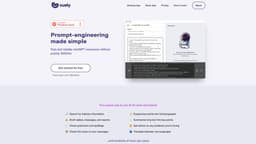
Cuely is an AI app that assists teams in task completion with efficiency and effectiveness.
AI-assisted workefficiencyproductivity
Introduction
Cuely is an AI-assisted work app that helps teams accomplish tasks more efficiently and effectively. It utilizes AI technology, such as chatGPT, to provide assistance in various work-related activities, including drafting emails, searching for industry information, checking grammar and spellings, translating languages, and more.
Key Features
Draft replies, messages, and reports
Check grammar and spellings
Expand key points into full paragraphs
Summarize long text into key points
Translate between any languages
Search for industry information
Frequently Asked Questions
What is Cuely?
How to use Cuely?
How do I use Cuely within Slack?
What tasks can Cuely help with?
How does Cuely help improve work performance?
Is Cuely free to use?
Is my data safe with Cuely?
Similar Tools

LimeChat
Revolutionize your e-commerce business with our AI-powered platform that offers support and marketing through WhatsApp. Boost sales and engagement now!

Plagiarism Remover
Eliminate plagiarism in your text with this free AI tool. Enhance your writing by rephrasing content effortlessly. Try it now!

iSlide
Simplify your PowerPoint design with our innovative platform, offering a wide range of templates and AI tools to enhance your presentations.
Use Cases
- Searching for industry information
- Drafting replies, messages, and reports
- Checking grammar and spellings
- Checking tones of messages
- Expanding key points into full paragraphs
- Summarizing long text into key points
- Getting advice on problems
- Translating between languages
How to Use
To use Cuely, you can integrate it into your team's Slack workspace. There are three ways to interact with Cuely within Slack: 1. Use the /cue command in any channel to prompt Cuely for assistance. 2. Mention @cuely in group chats to engage Cuely in the conversation. 3. Message Cuely directly for one-on-one interactions. Cuely can perform tasks like drafting replies, messages, and reports; checking tones of messages; summarizing long text into key points; providing advice on problems; and many other use cases.