AI Art Generator
Create stunning art from photos in iMessage.
AI ArtPhoto GeneratoriMessage
Introduction
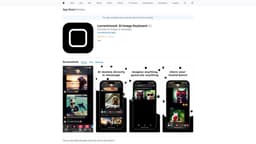
AI Art and photo generator keyboard directly in iMessage.
Key Features
Generate stunning artwork from photos
Integrated keyboard in iMessage
AI-powered image processing
Frequently Asked Questions
What is AI Art Generator?
How to use AI Art Generator?
Can I use the AI Art Generator on any photo?
Do I need an internet connection to use the AI Art Generator?
Can I customize the artistic styles used by the AI Art Generator?
Is the AI Art Generator available on Android devices?
Similar Tools

LimeChat
Revolutionize your e-commerce business with our AI-powered platform that offers support and marketing through WhatsApp. Boost sales and engagement now!

iSlide
Simplify your PowerPoint design with our innovative platform, offering a wide range of templates and AI tools to enhance your presentations.

Gethookd
Revolutionize your ad creation and performance with our AI platform. Optimize your ads like never before for maximum results.
Use Cases
- Enhance photos with unique artistic styles
- Create personalized artwork to share with friends
- Transform ordinary photos into impressive pieces of art
How to Use
1. Open iMessage 2. Go to keyboard settings 3. Enable AI Art Generator 4. Access the keyboard in iMessage 5. Choose a photo 6. Let AI generate stunning artwork 7. Send the AI-generated art to your friends