Introduction
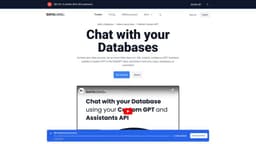
Chat with your Databases
Key Features
Natural Language Processing
AI-Powered Insights
Data Analysis
Interactive Querying
Intuitive Data Exploration
AI
Frequently Asked Questions
What is DataLang?
How to use DataLang?
Do I need any technical knowledge to use DataLang?
How does DataLang secure my data?
What are some use cases for DataLang?
What types of questions can I ask in DataLang?
Similar Tools

LimeChat
Revolutionize your e-commerce business with our AI-powered platform that offers support and marketing through WhatsApp. Boost sales and engagement now!

Plagiarism Remover
Eliminate plagiarism in your text with this free AI tool. Enhance your writing by rephrasing content effortlessly. Try it now!

iSlide
Simplify your PowerPoint design with our innovative platform, offering a wide range of templates and AI tools to enhance your presentations.
Use Cases
- Exposing a specific set of data using SQL to train GPT and facilitate natural language conversations with the database
- Seamlessly transforming database information into accessible and secure API endpoints
- Having interactive conversations with the database using natural language queries
- Creating tailored GPT models from the data for customized insights and interactions
How to Use
Connect your data sources, set up data views with SQL, configure a GPT Assistant, create a Custom ChatGPT, and share it with users, employees, or customers.