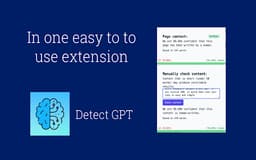
Detect GPT - Chrome Extension
Identify AI-generated content on webpages.
AI-generated content detectionwebpage analysisGPT language model
Introduction
Detect GPT scans the content of webpages to identify AI-generated content.
Key Features
Scan webpages for AI-generated content
Identify use of GPT language model
Generate detailed reports
Frequently Asked Questions
What is Detect GPT?
How to use Detect GPT?
How does Detect GPT identify AI-generated content?
Can Detect GPT detect other AI models apart from GPT?
Is Detect GPT compatible with all web browsers?
How long does it take to analyze a webpage?
Similar Tools

Scribbr
Get help with proofreading and citations for your academic work with our specialized service. Perfect your writing with expert assistance.

Sharkwriter.ai
A tool for generating blog content and articles quickly using AI technology. Perfect for efficient content creation and blogging.
UnbiasedAI
Enhance your media literacy with our AI tool that assesses biases and credibility in news sources. Make informed decisions with ease.
Use Cases
- Verifying the authenticity of online articles
- Identifying manipulated content
- Assessing the credibility of information
How to Use
Simply visit the Detect GPT website and enter the URL of the webpage you want to analyze. The tool will then scan the content and provide a report indicating if any of the content has been generated using the GPT language model.