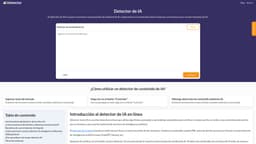
AI Content Detector
Detect AI-generated content for free
AI content detectionText analysisAI similarity percentage
Introduction
The AI Content Detector is a free online tool that uses advanced algorithms and machine learning to verify whether the content is written by a human or an AI. It analyzes the style of writing, sentence structure, and semantic coherence to determine the likelihood of AI authorship.
Key Features
Detection of AI-generated writing
Advanced natural language processing algorithms
Verification of text of any length
Comparison of syntax, vocabulary, and semantics with human and AI models
Frequently Asked Questions
What is AI Content Detector?
How to use AI Content Detector?
Is the AI Content Detector free to use?
How accurate is the AI Content Detector in detecting AI-generated content?
What is the word limit for content analysis using the AI Content Detector?
Similar Tools

Scribbr
Get help with proofreading and citations for your academic work with our specialized service. Perfect your writing with expert assistance.
Sharkwriter.ai
A tool for generating blog content and articles quickly using AI technology. Perfect for efficient content creation and blogging.
UnbiasedAI
Enhance your media literacy with our AI tool that assesses biases and credibility in news sources. Make informed decisions with ease.
Use Cases
- Verify if a piece of writing is generated by AI or human
- Check for AI-generated content before publishing or submitting
How to Use
Using the AI Content Detector is simple. Enter the text to be analyzed and click the 'Check' button. The tool will then provide the percentage of similarity to AI-generated content.