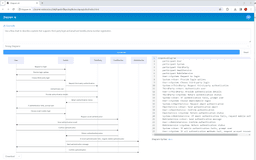
Diagram AI - Chrome Extension
Enhance your browser experience with the Diagram AI Chrome Extension, a powerful tool for creating diagrams effortlessly. Boost your productivity now!
Introduction
What stands out?
Detailed Review
In-depth analysis and overview
Review of Diagram AI - Chrome Extension
As a visual learner, I was excited to try out Diagram AI. The integration with GPT4 is genius, making it super easy to turn text into diagrams. The Chrome extension is user-friendly and intuitive, allowing me to quickly create visual representations of complex concepts. I was impressed by the accuracy and speed of the AI in generating diagrams based on my input. This tool has definitely helped me improve my understanding of various topics and communicate ideas more effectively. I highly recommend Diagram AI to anyone looking to enhance their learning experience or streamline their workflow.
Frequently Asked Questions
What does Diagram AI refer to?
What are the steps for utilizing Diagram AI?
Which types of diagrams am I able to generate using Diagram AI?
Is it possible for me to make changes to the generated charts?
What formats are available for exporting the diagrams?
Reviews & Feedback
Share your experience with the community
User Comments (0)
No reviews yet. Be the first to share your thoughts!
Statistics
Use Cases
- Plan and track project timelines easily with this app that helps you stay organized and on schedule.
- Discover a powerful tool for mapping out and understanding complex business operations with the Visualize business processes app.
- Discover a tool that visually represents software architecture, providing a clear and comprehensive overview of complex systems.