Diagramming AI
Simplify UML and workflow designs effortlessly with the AI-powered Diagramming AI platform.
Introduction
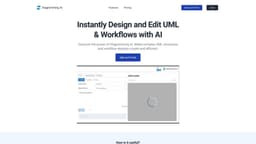
Diagramming AI is a platform that simplifies complex UML (Unified Modeling Language) and workflow designs using AI. It allows users to effortlessly create, edit, and manage diagrams using intuitive AI commands.
What stands out?
The core features of Diagramming AI include AI-Powered Automated Diagram Creation, AI Chat for discussions and suggestions, Project-Based Mermaid Code Storage, and Flexible Export & Editing capabilities.
Frequently Asked Questions
What is Diagramming AI?
How to use Diagramming AI?
What formats can I export my diagrams in?
Can I edit and update my diagrams at any time?
Can AI help me improve my diagrams?
How can Diagramming AI be useful for educators and trainers?
Is there a limit to the number of projects and diagrams I can create?
More Information
Diagramming AI Support Email & Customer service contact & Refund contact etc.
Here is the Diagramming AI support email for customer service: [email protected] .
Diagramming AI Login
Diagramming AI Login Link: https://diagrammingai.com/login
Diagramming AI Sign up
Diagramming AI Sign up Link: https://diagrammingai.com/login?p=sign_up
Diagramming AI Pricing
Diagramming AI Pricing Link: https://diagrammingai.com/#pricing
Diagramming AI Twitter
Diagramming AI Twitter Link: https://twitter.com/Diagrammin71888
Reviews & Feedback
Share your experience with the community
0.0
Based on 0 reviews
User Comments (0)
Sort Criteria
Order
No reviews yet. Be the first to share your thoughts!
Statistics
Monthly visits
NaN
Saved by users
0
Rating
0.0/ 5.0
Added on
—
Similar Tools

Cursor
A cutting-edge code editor prioritizing AI technology for rapid software development. Boost your productivity with this innovative tool.

Anthropic
The AI assistant named Claude, called Anthropic, offers various capabilities and services.

Replit
Replit is a collaborative IDE featuring 50+ programming languages, a robust compiler, and interpreter. Work together seamlessly on coding projects.
Use Cases
- Diagramming AI is useful for a variety of users including software developers, project managers, data analysts, educators and trainers, technical writers, business analysts, product managers, researchers, students, and marketing professionals. These users can utilize the platform to visually represent system designs, project schedules, data flows, complex topics and ideas, technical documents, business processes, product feature flows, research findings, study purposes, and marketing campaign strategies and plans.
How to Use
To use Diagramming AI, sign up for a free account and log in. After logging in, you can instantly design and edit UML and workflows by inputting text and receiving charts in various formats. You can also engage in AI chat to receive suggestions and advanced conditions for your diagrams. The platform includes a project-based Mermaid code storage system for easy access and management of diagrams. You can export your diagrams in SVG/PNG formats and edit them at any time.